# Navigation menu
A navigation menu in Shopify helps customers easily browse your store by linking to important pages, collections, products, or external URLs.
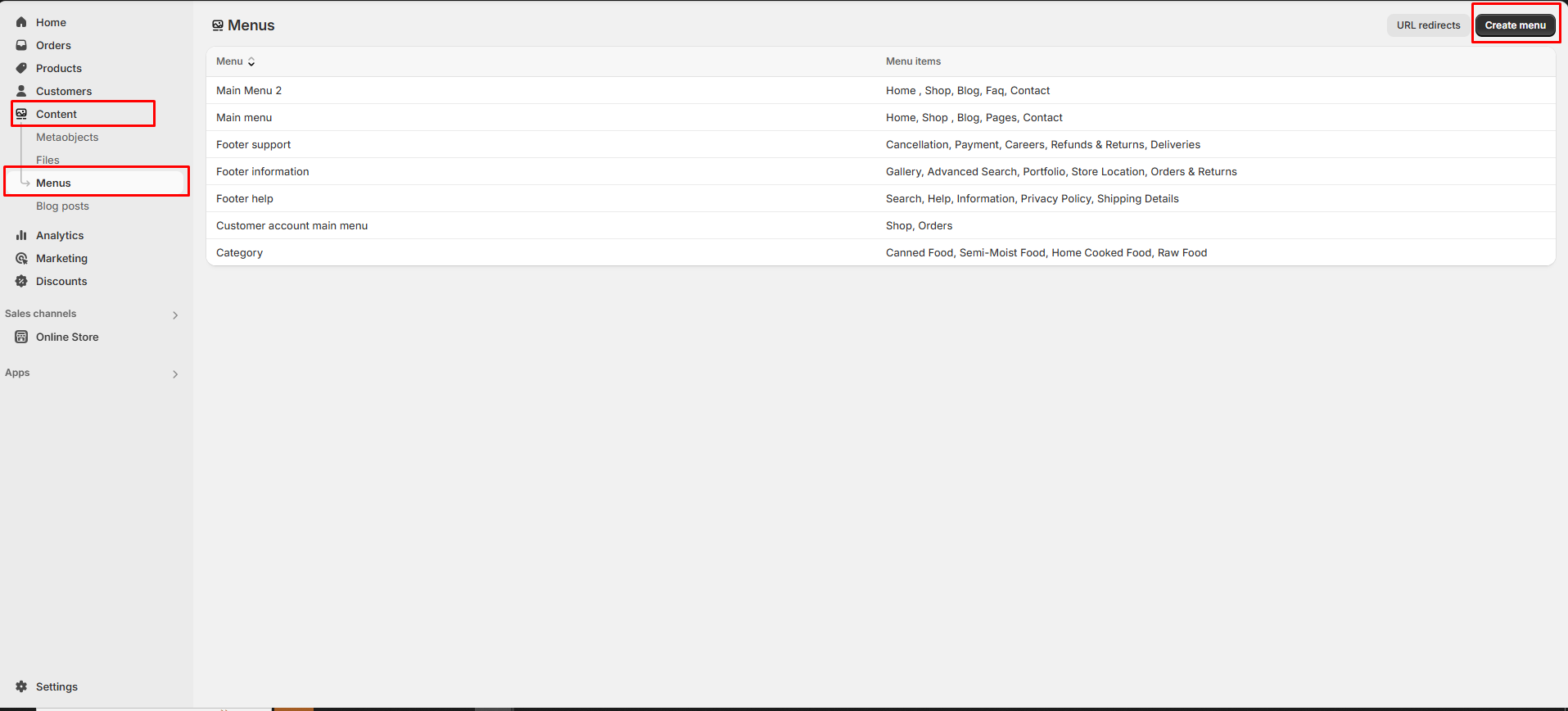
* Go to **Online Store > Content > Menu in your Shopify Admin.**
* Click **"Create Menu"** and enter a Menu Name (e.g., "Main Menu").
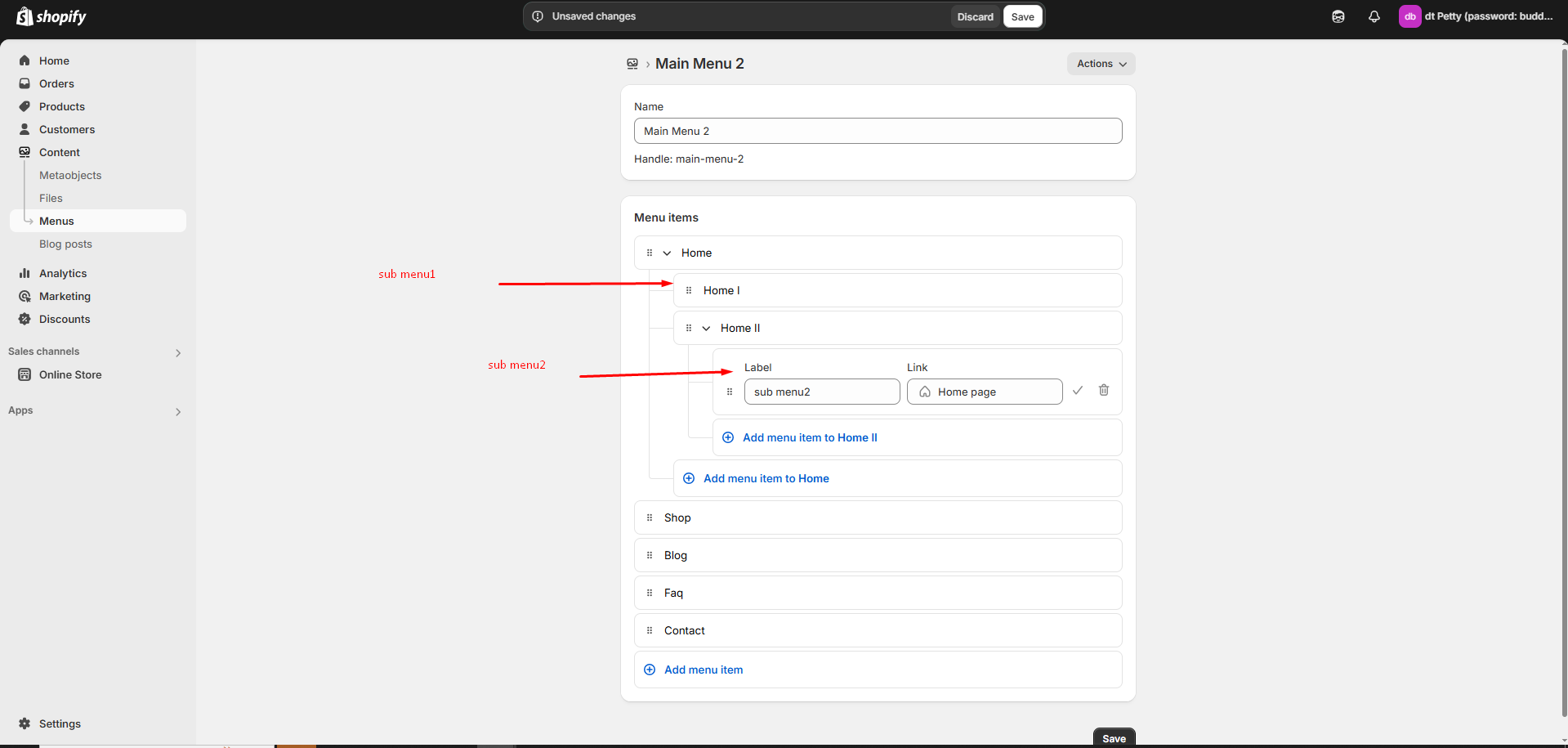
* Click **"Add Menu "** and enter a Name **(e.g., "Shop," "About Us," "Contact").**
* Add menu items and add **label and link**
* Click **Link as required** and choose a **destination.** If there is no destination link and error occurs as **(Enter a valid URL or choose a page)**
* Click the **Tick icon** to **save** and **delete icon** to **delete**
{% hint style="success" %}
* **Home –** Links to the store’s Homepage.
* **Collections –** Directs to a collection of products.
* **Products –** Links to a specific product.
* **Pages –** Links to an informational pages (e.g., About Us, Contact).
* **Blog Posts –** Links to a blog article.
* **Custom URL –** Add any external or internal link.
* Click **Tick icon** to confirm the menu item.
* Click to **Save.**
{% endhint %}
### Assigning the Menu to Your Theme
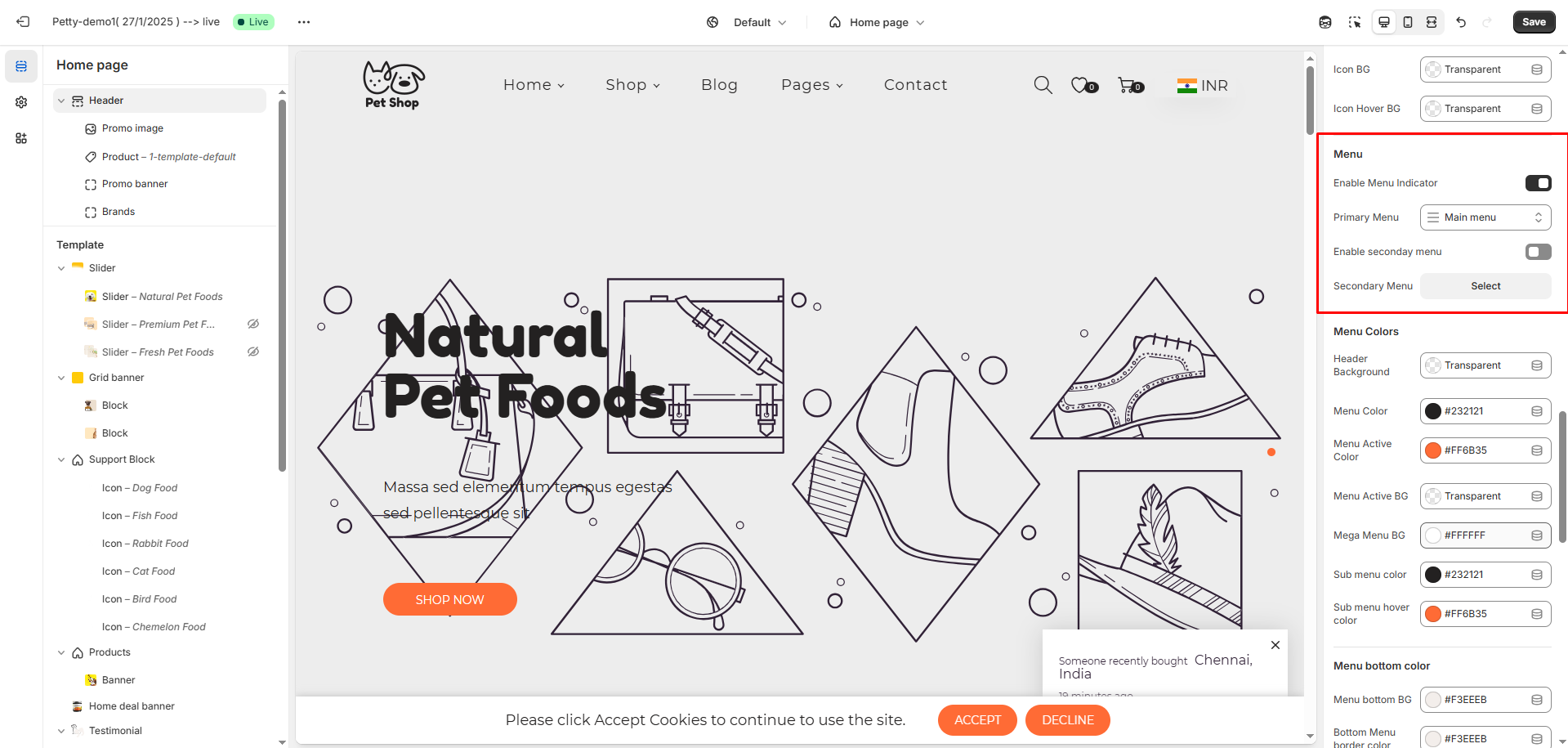
* Go to **Online Store > Themes > Customize.**
* In header section select the menu created in content
* Click **Save**
### Creating Dropdown Menus (Submenus)
* To create a submenu, drag and drop a menu item below and slightly to the right of another menu item.
* This helps group related items under a main category (e.g., "Shop" > "Men's Clothing", "Women's Clothing").
* Click the Save button to Save the Menu