# Social Icons
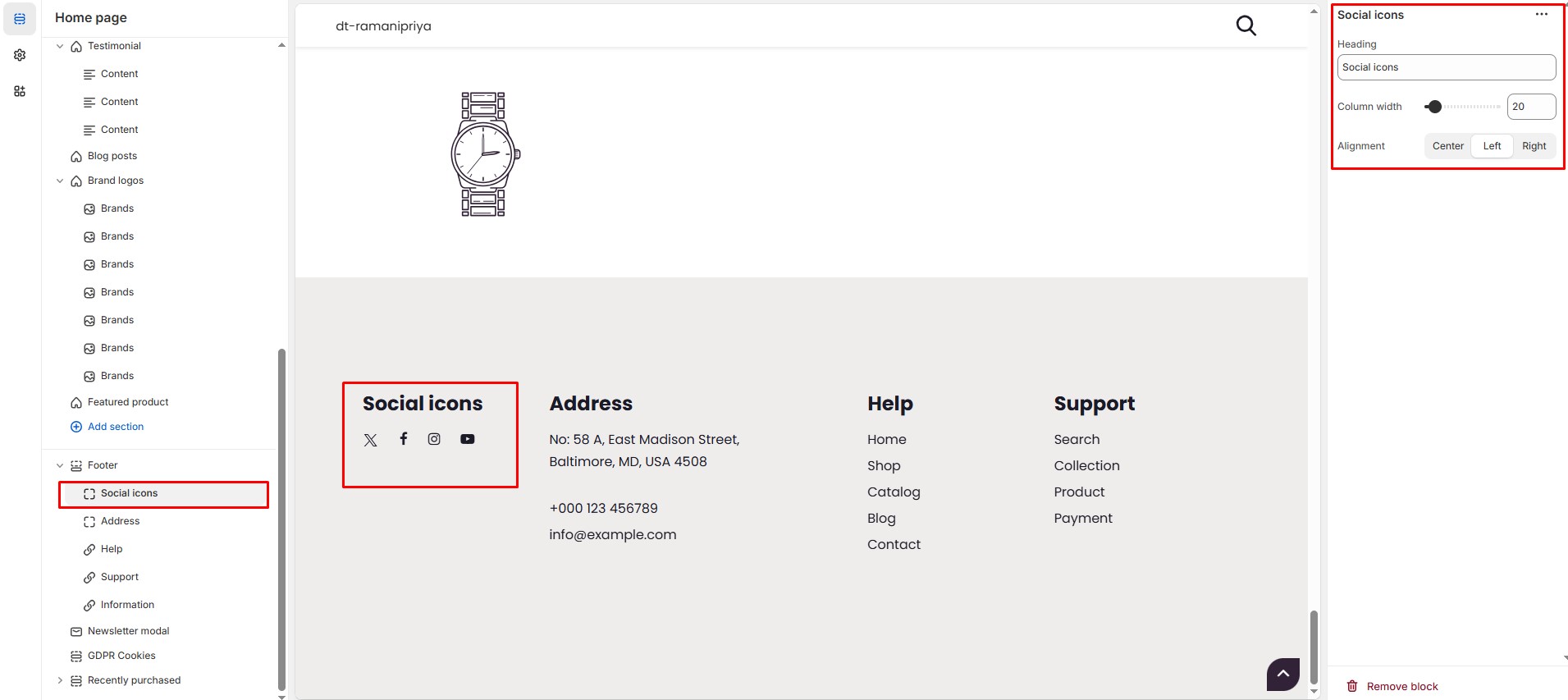
The **Social Icons Block** in the Footer Section allows you to display links to your social media profiles, helping visitors easily connect with your brand on various platforms.
{% hint style="success" %}
* Go to **Shopify Admin** > **Online Store** > **Themes**.
* Click **Customize** on your active theme.
* Navigate to **Footer Section** > **Add Block** > **Social Icons**.
* Configure the settings as needed:
{% endhint %}
#### Social Icons Block Settings:
* **Heading:** Customize the section title.
* **Column Width:** Adjust the **width percentage**.
* **Alignment:** Set the alignment on large screens (**Left, Center, Right**).
{% hint style="info" %}
**Social Icons:** Displays social media icons linked to your profiles (configured in[ theme settings](https://bt2-shopify.gitbook.io/lawn-mover/theme-settings/social-media)).
{% endhint %}
{% hint style="success" %}
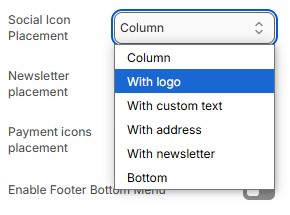
#### Important Note: You need to **Enable Social Media** and **Set Social Icon Placement** in the **Footer Settings** for the icons to appear.
{% endhint %}